flagעברית
flagEnglish
3 Rabinovich St., Petah-Tikva, Israel
+972 3 9047744
office@amironic.co.il
Facebook
Twitter
LinkedIn
YouTube
  • Products
    • MEMS Inertial
      • Gyros & Accels
      • IMU
      • Inertial Navigation
      • AHRS
    • Circuit Breakers
      • Airpax Circuit Breakers
      • Electronic Circuit Breakers
      • Aircraft Circuit Breakers
      • Thermal Circuit Breakers
      • Sealing Solutions & Guards
    • Footswitches
      • Pedals & Bellows
      • USB
      • Air Switches
      • Medical
      • Modular Bases System
      • Industrial
      • Foot Potentiometers
      • Wireless
    • Mechanical & Transmisions
      • Gears
      • Sealing Solutions
      • Gearboxes
      • Couplings
      • Shafts & Bearings
      • Fasteners
      • Mechanical & Springs
      • Linear Motion
      • Anti-Vibration
    • Sensors
      • Thermostats
      • Temperature
      • Position
      • Pressure
      • Speed
      • Level Sensor
      • Load Cells
      • Flex Sensors
      • Membrane Potentiometer
    • Motors
      • Geared DC
      • Brushless DC
      • Step Motors with Gearbox
      • Torque Motors & Brushless Servo
      • DC Motors
    • Electronics
      • Xenon & IR Lamps
      • Counters & Meters
      • Microelectronics Packaging
      • Waterproof Switches
      • Micro Switches
    • Hand Control
      • Operator Controls (JOYSTICK)
      • Electrical
      • Pneumatic (Medical)
      • USB Hand Control
      • Air Push Button
      • Pressure Switch
      • IR Switch
    • Power Solutions
      • Rugged & Military Power Supply
      • Input Power Protection
      • Sealed Military Power Adaptor
      • Triple Output Military Power Supply Series – up to 250 W
    • Materials
      • Molybdenum and Advanced Alloys (TZM, MOLA, HCT)
      • Tungsten (Wolfram) and Advanced Alloys – High-Performance Materials for Extreme Conditions
      • Materials for Gears
  • Shop
  • Companies
  • About Amironic
  • News
  • Contact
Product was added to your cart

Cart

waze

Hands on the Patient, Foot on the System – Why Footswitches Are Still Essential in Medical Imaging

Footswitches15/09/2026amironicLTD

Medical Imaging systems have undergone a major transformation over the past few decades. Touchscreens have replaced control panels crowded with buttons, software interfaces have become increasingly sophisticated, some systems now incorporate Voice Control, and technologies such as Gesture Recognition and other touchless control methods are also being explored.

And yet, even in some of the world’s most advanced medical imaging systems, one component continues to appear despite seeming almost too simple compared with the technology surrounding it: the Footswitch.

This is not necessarily a legacy of outdated technology.

In certain applications, the very fact that a Footswitch separates system control from the user’s hands is precisely what makes it such an effective interface.

When a physician, technician or operator needs to remain focused on the patient, hold a Probe, work with additional equipment or monitor an image in real time, the question is not simply which interface is the most advanced, but which interface integrates most effectively into the clinical Workflow.

And that is already an engineering challenge involving the Human-Machine Interface – HMI.

Why Use a Footswitch in a Medical Imaging System?

In a Medical Imaging system, the user may need to perform several tasks simultaneously.

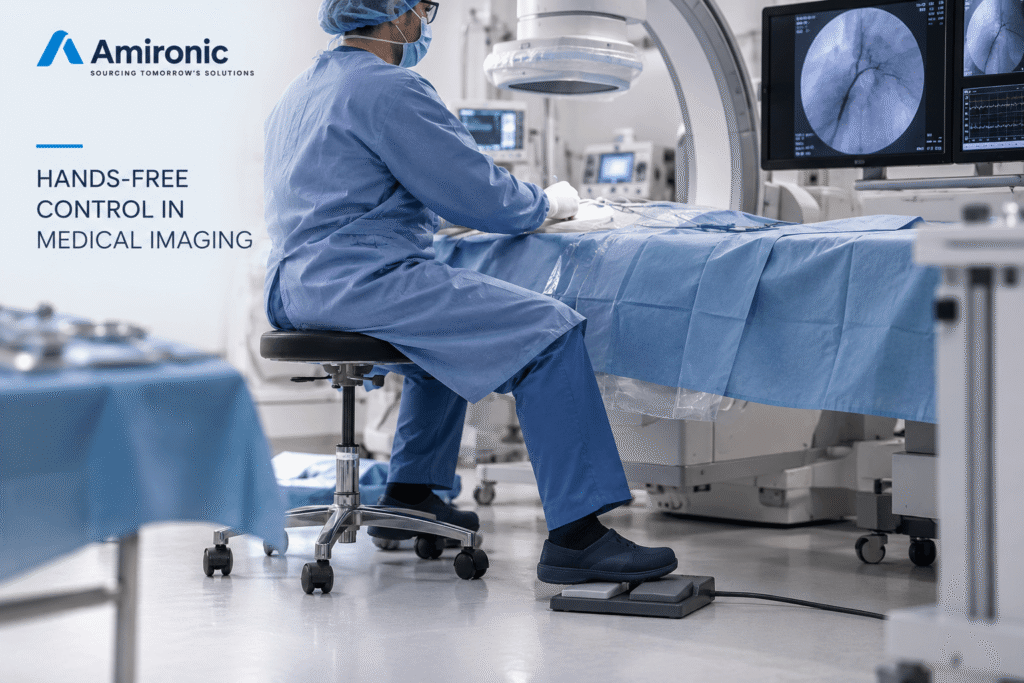
The operator may be monitoring an image on the display, positioning the patient, holding a medical device, adjusting the imaging system or performing another clinical task. In this situation, any action that requires the user to move away from the patient or equipment and locate a button on the Console can interrupt the natural Workflow.

A Footswitch allows certain commands to be transferred to the foot.

Depending on the system and its design, the Footswitch may be used for functions such as:

  • Starting or stopping an operation
  • Activating Fluoroscopy or Acquisition
  • Capturing or saving an image
  • Switching between Operating Modes
  • Activating a predefined function
  • Controlling additional functions according to the system architecture

This is not merely a theoretical possibility. In commercially available C-arm systems, for example, Footswitches are used to activate Fluoroscopy and different Acquisition modes. Some systems also use multifunction Footswitches for functions such as saving images and switching between operating modes.

In other words, a Footswitch is not necessarily just an ON/OFF switch sitting on the floor.

It can be an integral part of the imaging system’s control interface.
Touchscreen, Voice Control or Footswitch – Which Is Better?

The answer is that no single interface is ideal for every operation.

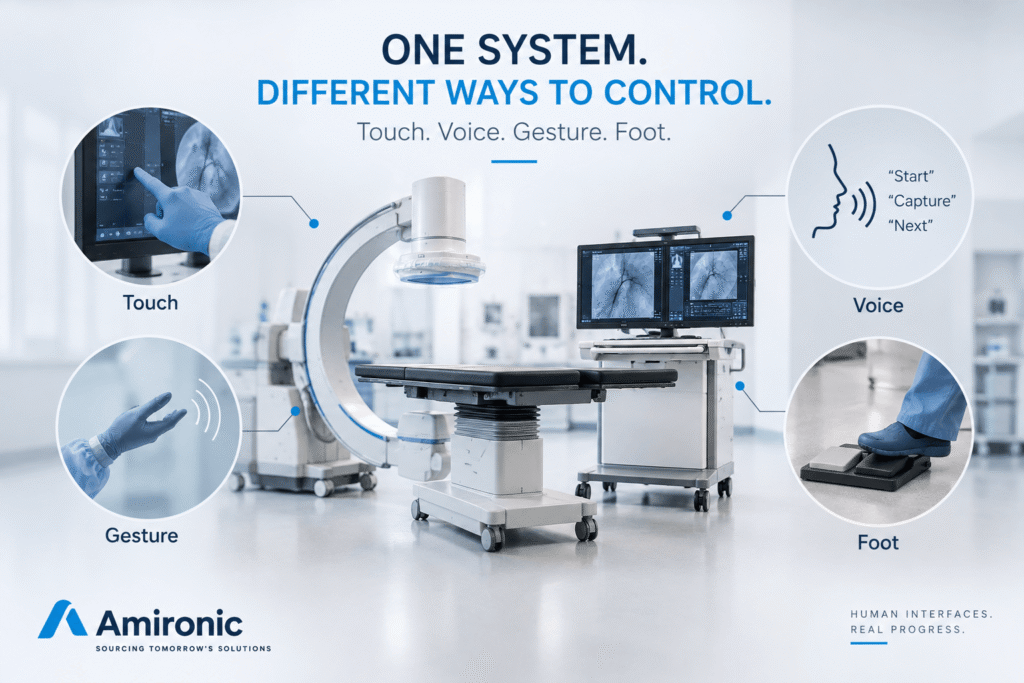
A Touchscreen is excellent when a rich interface is required, such as selecting parameters, navigating menus, displaying information and changing settings.

Voice Control can be useful when operations need to be performed without physical contact.

Gesture Control can provide another way to interact with the system without touching a surface.

Physical Buttons remain highly effective for operations that require direct control and clear tactile feedback.

And a Footswitch allows the user to execute a command while keeping both hands available for another task.

The right engineering question, therefore, is not:

“Which interface technology is the most advanced?”

but rather:

“Which operation should be assigned to each interface?”

Interface Key Advantage Design Consideration
Touchscreen Flexibility and access to many functions Requires hand interaction and may divert attention to the screen
Physical Button Direct operation and tactile feedback Requires physical access to the control panel
Voice Control Hands-free operation Depends on reliable recognition and the working environment
Gesture Control Touchless operation Requires reliable gesture recognition
Footswitch Hands-free control through a deliberate physical action Requires proper consideration of positioning, ergonomics and functions

In a well-designed Medical Imaging system, these technologies do not necessarily compete with one another.

They can complement each other.

The Real Advantage: Separating Control Channels

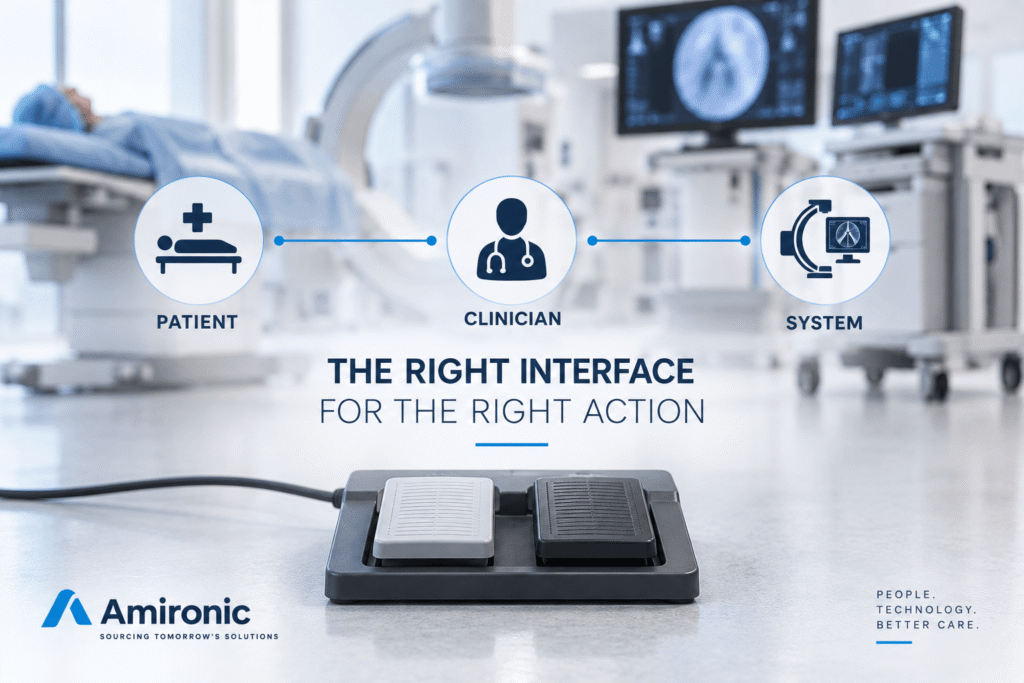
One way to understand the value of a Footswitch is to think of the user’s body as part of the system interface.

The eyes can remain focused on the image, the patient and the information being displayed.

The hands can remain dedicated to tasks that require precision, manipulation, equipment positioning or interaction with the patient.

And the foot can be assigned a limited number of simple, clearly defined commands.

This creates a separation of control channels.

Instead of requiring the same hand to perform both the clinical task and the system control action, the two can be separated.

This principle becomes particularly important when an operation needs to be performed in real time.

In Fluoroscopy and C-arm systems, for example, a Footswitch can be used to activate Fluoroscopy or Acquisition, while in some systems different pedals can be assigned to different operating modes.

In this situation, the Footswitch is no longer simply “another button.”

It becomes part of the Clinical Workflow.

Medical Imaging Is Not a Single Application

The term Medical Imaging covers a broad family of systems, which means that the role of the Footswitch can vary significantly from one system to another.

Fluoroscopy and C-arm Systems

This is probably one of the clearest applications for Foot Control.

During a procedure, the clinical team may be working around the patient while simultaneously monitoring real-time imaging. The ability to activate a function with the foot allows the user’s hands to remain available for the clinical task.

Depending on the system design, a Footswitch may be used to activate Fluoroscopy, Acquisition or other functions.

This is a good example of why an interface that appears relatively simple can remain highly relevant even in a very advanced imaging system.

Ultrasound

Ultrasound presents a different example of the same fundamental challenge.

The operator may be holding the Transducer in one hand, while the other hand is used to operate the system, adjust positioning or perform another task around the patient.

When an operation needs to be repeated frequently during an examination, it may be worth considering whether that function should be transferred to Foot Control.

The goal is not to add a Footswitch simply because it is possible.

The goal is to identify an operation where Hands-Free Control genuinely improves the Workflow.

Imaging Systems Integrated into Clinical Procedures

As Medical Imaging becomes increasingly integrated into broader clinical procedures, rather than functioning simply as a machine that produces an image, the distribution of control across different interfaces becomes increasingly important.

In an environment where the user is simultaneously interacting with the patient, medical equipment, imaging systems and displays, a Footswitch can evolve from a secondary input device into a meaningful part of the HMI architecture.

And this leads to an interesting question:

If we can now control systems using touchscreens, voice commands and even gestures, why do we still need a pedal on the floor?

Why Voice Control Does Not Necessarily Replace the Footswitch

Voice Control may seem like a natural solution for Hands-Free Operation. If the user can simply tell the system “Start,” “Capture” or “Next,” why is a Footswitch needed at all?

From an engineering perspective, however, these are two fundamentally different types of interface.

A voice command requires the system to capture speech, recognize it, interpret the command and determine that the command was actually directed at the system. In a clinical environment, there may be multiple staff members, background noise, conversations and other equipment operating in the room.

A Footswitch, by contrast, is a dedicated Physical Control. Pressing a pedal assigned to a specific function represents a deliberate and direct action by the user.

This does not mean that a Footswitch is always better than Voice Control.

It means that the two interfaces are suited to different types of operations.

Voice Control may be appropriate for certain functions, a Touchscreen for complex settings and navigation, and a Footswitch for a repetitive operational command during a procedure that requires a simple and clear response.

A Touchscreen Is Not Designed to Do Everything Either

Touchscreens have completely transformed the way medical equipment is designed.

Instead of a control panel crowded with dozens of buttons, a system can provide an interface that changes according to the operating mode, displays real-time information and allows the user to control a large number of parameters.

But this advantage does not mean that every operation should be moved to the screen.

Consider a user performing an action dozens of times during a procedure. If each time the user must remove a hand from the task, move it toward the screen, locate the appropriate Control and press it, the more advanced interface may actually be adding steps to the Workflow.

In such a case, a Physical Button or Footswitch may be more effective precisely because it does less.

This highlights an important principle in HMI design:

A good interface is not the one that offers the greatest number of options. A good interface is the one that allows the user to perform the right action, at the right time, in a clear and intuitive way.

A Good Footswitch Starts with Defining the Function

It is easy to think of a Footswitch simply as a hardware component: Housing, Pedal, Switch, Cable and Connector.

But in a modern Medical Imaging system, the first question should be different:

What exactly should happen when the user presses the pedal?

Is each Pedal always assigned to the same function?

Does the function change according to the Operating Mode?

Do a short press and a long press produce the same response?

Does the user receive a clear indication of the currently active function?

Can the Footswitch be reconfigured?

And what happens if the Footswitch is disconnected, not detected or fails?

Once the Footswitch becomes part of a software-controlled system, it can no longer be treated simply as a Contact.

Instead, a relationship is created between three elements:

Physical Control -> Software State -> System Action

And that relationship must be clear to the user.

More Pedals Do Not Necessarily Mean a Better Interface

Technically, a Footswitch can be designed with one, two or three Pedals, as well as additional Controls.

But this is where Human Factors become important.

If the user has to look down at the floor every time to determine which pedal to press, part of the advantage of Foot Control has already been lost.

The design therefore needs to consider not only the number of functions, but also the user’s ability to distinguish between them.

Differences in size, position, shape, actuation force and mechanical feedback can help the user identify the correct Control without having to direct their full attention toward it.

The spacing between pedals also matters. Pedals positioned too close together may increase the risk of unintended activation, while excessive spacing can make operation less natural.

In a medical system, even seemingly simple mechanical details become part of the HMI.

And What Happens on the Floor?

There is another reason why a Footswitch requires a different design approach from a conventional button:

It is located on the floor.

That is a very different environment from a control panel.

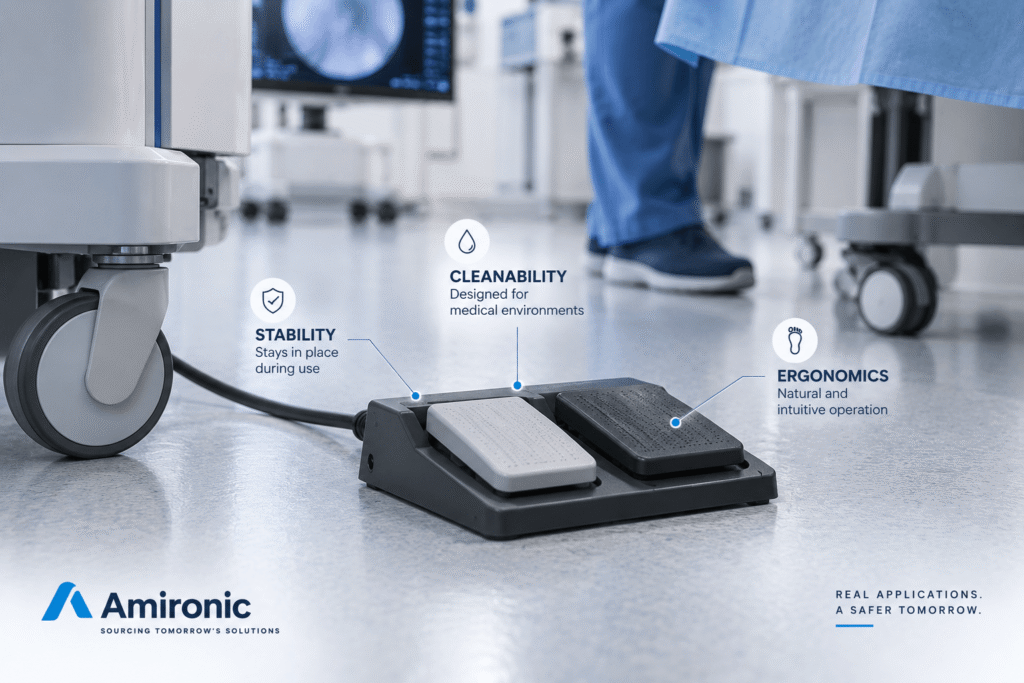
The Footswitch may be exposed to liquids, cleaning agents, movement of clinical staff, equipment casters, cable pulling and mechanical impacts. At the same time, it needs to remain stable and avoid moving away whenever the user activates it.

In medical equipment, additional considerations related to cleaning and disinfection may also apply, depending on the intended environment and system design.

A medical Footswitch is therefore an assembly in which several engineering disciplines come together:

Ergonomics, Mechanical Design, Electrical Interface, Environmental Protection and Human Factors.

This makes it clear why selecting a Footswitch based only on its Ampere rating or Connector type can overlook a significant part of the application’s actual requirements.

Wired or Wireless? It Is Really a Question of Workflow

Once the function, ergonomics and working environment have been defined, another question arises: should the Footswitch be Wired or Wireless?

Again, there is no single correct answer.

A Wired Footswitch provides a fixed physical connection and does not require battery management or a wireless link. On the other hand, the cable itself becomes part of the working environment: it needs to be routed properly, potential entanglement needs to be considered, and the movement of equipment and clinical staff around it must be taken into account.

A Wireless Footswitch can provide greater flexibility in positioning and reduce the number of cables in the working area. In a mobile system, or in a room where the equipment configuration changes between procedures, this can be a significant advantage.

However, Wireless operation introduces other considerations: Battery Management, Communication Reliability, Pairing, system behavior in the event of communication loss, and how the system informs the user about battery and connection status.

The choice between Wired and Wireless is therefore not simply a decision about communication technology.

It is part of the system’s Workflow design and Risk Management.

We have covered this subject separately in our article on Wired vs. Wireless Footswitches, so we will not explore it further here.

A Footswitch Is Part of the System, Not an Accessory Added at the End

One possible design mistake is to reach the final stages of development and only then ask:

“So, which Footswitch should we connect to the system?”

By that stage, decisions have already been made regarding Software, I/O, Connector, Mechanical Design, Cleaning, User Interface and the way the user interacts with the system.

Integrating a Footswitch late in the development process can turn an apparently simple component into an Integration challenge.

A better approach is to consider the Footswitch during the HMI definition stage.

If it is known that the user will need to perform a particular action while their hands are occupied, the design team can define in advance how that action will be triggered, what Feedback the user will receive, how the system should behave in the event of a fault, and which physical interface is most appropriate for the application.

This allows the hardware, software and mechanical design to be developed together.

How Should a System Engineer Approach Footswitch Selection?

The starting point is not the number of pedals, the Connector type or even the IP Rating.

The starting point is the user.

The first question should be:

What is the user doing at the moment the command is required?

If both hands are free and the Control Panel is directly in front of the user, there may be little benefit in adding a Footswitch.

But if the user’s hands are occupied, if a repetitive real-time action is required, if the user needs to remain focused on the patient, or if moving to the Control Panel interrupts the Workflow, Foot Control becomes an option worth considering.

The next question is:

Which function should actually be assigned to the foot?

It is generally better to avoid assigning a large number of functions to a Footswitch simply because the hardware allows it. A Footswitch is particularly effective when the relationship between the physical action and the system response is clear and predictable.

Only after these questions have been answered should the technical details be considered:

  • One Pedal or multiple Pedals?
  • Wired or Wireless?
  • What Actuation Force is appropriate?
  • What level of environmental protection is required?
  • What Electrical or Digital Interface is needed?
  • Is a customized Cable or Connector required?
  • How does the system detect connection, disconnection or failure?
  • Is protection against unintended activation required?
  • How will the assembly be cleaned and disinfected?
  • What is the system state when the Footswitch is unavailable?

The order matters.

Instead of selecting a Footswitch and then trying to adapt the system around it, define the Use Case first and select the solution accordingly.

What About Standards and Compliance?

In medical equipment, interface design cannot be completely separated from the safety and compliance requirements of the final system.

However, an important distinction must be made: simply describing a component as a “Medical Footswitch” does not automatically mean that the system in which it is integrated complies with the applicable standards.

The component must be evaluated as part of the final product, taking into account the electrical architecture, intended use, operating environment and the system’s Risk Management process.

We have covered IEC / UL 60601-1 requirements and Footswitch design considerations for medical equipment in a separate article.

The point here is different:

Compliance is essential, but it is not a substitute for good HMI design.

A Footswitch may meet the relevant technical requirements and still be positioned incorrectly, require an unsuitable actuation force, or have functions assigned in a way that creates confusion for the user.

Good medical system design needs to address both sides of the equation.

HERGA Footswitch Solutions for Medical Imaging Systems

HERGA Technology develops Footswitch solutions and control interfaces for a wide range of medical and OEM applications.

For a system manufacturer, the key question is not necessarily which Part Number is available in the catalogue, but which Footswitch platform best fits the way the product is intended to operate.

Depending on the application, parameters such as the number of Controls, mechanical configuration, Wired or Wireless operation, switching technology, Cable, Connector and system interface can all be considered.

In Medical Imaging systems, where the user interface is an integral part of the Clinical Workflow, the Footswitch should be treated as part of the product’s control architecture rather than as a peripheral component.

Amironic represents HERGA in Israel and supports medical equipment manufacturers and OEMs in selecting Footswitches and control solutions according to their specific application requirements.

Sometimes the Simplest Technology Is the Right Choice

There is a natural tendency to assume that a newer interface should replace an older one.

Touchscreens have replaced some physical buttons. Voice Control enables hands-free operation. Gesture Recognition introduces additional possibilities for touchless interaction.

But HMI is not a competition in which one technology has to defeat the others.

The goal is not to use the most advanced interface.

The goal is to provide the user with the most appropriate means of control for the action being performed at that moment.

In Medical Imaging, when the user’s eyes are focused on the image, their hands are on the patient or equipment, and an action needs to be performed directly, the foot represents an additional input channel available to the system engineer.

And that may be the best explanation for why the Footswitch continues to appear alongside highly advanced medical imaging systems.

It has not survived because technology failed to advance.

It has survived because, in certain applications, the problem it solves still exists.

Case Study – One Pedal, Three Different Implementation Approaches

When developing a Medical Imaging system, it is easy to assume that an advanced Footswitch should include multiple pedals and a large number of functions.

In practice, many OEM applications have a much simpler requirement:

The user needs to perform one clear action with the foot while keeping both hands free.

In such a case, a Single Pedal Footswitch may be a better solution than a complex multifunction interface.

A good example can be seen in three HERGA solutions representing different implementation approaches: 6210-0077, 6226-B665 and 6226-GB26S.

All three illustrate an important principle: even when the required user function is similar, the physical design of the Footswitch can vary according to the system and its operating environment.

6210-0077 – When Simplicity Is the Requirement

The HERGA 6210-0077 represents a simple and direct approach to Foot Control: a single pedal, momentary operation and a compact design, with an IPX7 enclosure rating.

It is a good example of an application where there is no need to turn the user’s foot into “another keyboard.”

If the system requires only one command, a simple Footswitch can allow the OEM to define in software or electronics exactly what that activation means.

It is important to note that HERGA defines this model as a Light Industrial Footswitch, so its inclusion here should not be interpreted as automatic suitability for any specific medical system.

6226-B665 – The Same Concept, Using a Platform Designed for Medical Equipment

When the system requirements call for a Footswitch platform with medical approvals, a solution based on the HERGA 6226 Series can be considered.

The 6226-B665 maintains the Single Pedal and Momentary Operation concept, while using a Low Profile platform designed for medical applications. The model is rated IPX7 and is listed by HERGA with IEC 60601-1 and UL 60601-1 approvals.

From an HMI perspective, the concept remains simple:

One Action -> One Pedal -> One Clear System Command

The selected platform, however, addresses a different set of system requirements.

6226-GB26S – When Protection Against Unintended Activation Becomes Part of the HMI

The 6226-GB26S is also based on the 6226 platform, but introduces an important mechanical difference: a Guard surrounding the pedal. This version is also described by HERGA as a Medically Approved Footswitch and is rated IPX7.

The Guard does not add another function to the system.

It changes the way the user accesses the pedal.

And that is precisely the point.

In an application where reducing the risk of unintended activation is important, mechanical protection can be added around the same Single Pedal rather than introducing additional electronic or software complexity.

This allows the user interface to remain very simple while adapting the mechanical design to the system’s Risk Analysis and Workflow.

Three Footswitches – The Same Engineering Question

Comparing these three solutions illustrates why Footswitch selection should not begin with the question, “How many pedals can we have?”

It should begin with different questions:

Does the application require only one action?
Is a platform intended for medical equipment required?
What are the environmental protection requirements?
Should the pedal remain open and easily accessible, or should it be protected by a Guard?
What is the risk of unintended activation?
And how does the Footswitch integrate into the user’s Workflow?

In all three cases, the user still has Single Pedal Foot Control.

The implementation, however, changes according to the application.

Fewer Controls Can Create a Better HMI

This may be the most important lesson from the Case Study.

In a system where the user needs to perform one action with the foot, adding a second or third Pedal does not automatically provide an advantage.

Quite the opposite.

A Single Pedal can create a very simple relationship between user intent and system response:

One Pedal -> One Intent -> One System Action

For a system engineer, this simplicity can be a significant advantage. There are fewer options for the user to distinguish using the foot, less potential for confusion, and a physical interface dedicated to a clearly defined function.

The choice between a simple solution, a platform intended for medical equipment, or a solution incorporating a Protective Guard can then be made according to the specific system requirements.

The goal is not to select the most complex Footswitch. The goal is to select the simplest interface that correctly meets the application’s requirements.

Summary

Medical Imaging systems continue to evolve toward Touchscreens, Voice Control, Gesture Recognition and increasingly sophisticated software interfaces, but this evolution does not eliminate the need for Footswitches.

In applications where the user’s hands are occupied with the patient, a Probe, equipment or the procedure itself, the foot can serve as an additional control channel, enabling Hands-Free Control of a defined system function.

The key is not to choose the most advanced interface, but the interface that is best suited to each action. Sometimes that may be a voice command, sometimes a Touchscreen, and sometimes a simple physical pedal.

As demonstrated in the Case Study, even a Single Pedal Footswitch can be implemented in different ways depending on the application requirements, ranging from a simple sealed solution to a platform intended for medical equipment or a solution incorporating a Guard for additional mechanical protection around the pedal.

Footswitch selection for a Medical Imaging system should therefore begin not with the catalogue, but with the Clinical Workflow: what the user is doing, which action needs to be performed, whether the user’s hands are available, and what could happen in the event of unintended activation.

Ultimately, a Footswitch is not an outdated technology that has simply remained in modern medical systems by accident.

When a single action needs to be performed simply, deliberately and without using the hands, sometimes one pedal is exactly the right interface.

Frequently Asked Questions – FAQ

Why Are Footswitches Still Used in Medical Imaging Systems?

A Footswitch allows the user to perform an action with the foot while keeping both hands free to work with the patient, a Probe, medical equipment or another part of the system. The main advantage is not that the Footswitch replaces the Touchscreen, but that it adds another control channel to the HMI.

Can a Touchscreen or Voice Control Replace a Footswitch?

Not necessarily. Each interface is suited to different types of operations. A Touchscreen is particularly useful for navigation, settings and access to multiple functions, while a Footswitch can be well suited to a simple, repetitive action that the user needs to perform without using their hands. Voice Control and Gesture Control provide additional options, but they are not necessarily substitutes for every Physical Control.

Why Use a Single Pedal Footswitch Instead of Multiple Pedals?

When the system requires only one action to be performed with the foot, a Single Pedal can provide a simpler and clearer HMI. The user does not need to choose between multiple Controls, and the relationship between pressing the pedal and the resulting system action can remain unambiguous:

One Pedal – One Intent – One System Action

When Should a Protective Guard Be Used Around a Footswitch?

A Guard can be relevant when the system design requires mechanical protection around the pedal or when there is a need to reduce the possibility of unintended activation. For example, the HERGA 6226-GB26S incorporates the Footswitch within a dedicated Guard.

Does a Footswitch for a Medical System Need to Be Sealed?

The required level of environmental protection depends on the operating environment and the system requirements. A Footswitch is located on the floor and may be exposed to liquids and cleaning processes, so sealing can be an important design consideration. The three solutions examined in the Case Study are rated IPX7.

What Does IPX7 Mean for a Footswitch?

IPX7 is a water ingress protection rating defined by the relevant standard. However, an IP Rating alone does not determine whether a Footswitch is suitable for a particular medical system or cleaning process. The intended environment and the manufacturer’s instructions should also be considered as part of the system requirements.

Is Every Sealed Footswitch Suitable for Medical Equipment?

No. Sealing is only one of the relevant parameters. For example, HERGA defines the 6210-0077 as a Light Industrial Footswitch, while the 6226 variants examined in the Case Study are described by HERGA as Medically Approved Footswitches.

Does a Medical Footswitch Have to Comply with IEC 60601-1?

The requirements applicable to a Footswitch depend on how it is integrated into the system and on the requirements of the final product. In the examples examined here, HERGA lists approvals including IEC 60601-1 and UL 60601-1 for the 6226 models. The applicable Compliance requirements should always be evaluated for the specific system rather than assumed based solely on the product series.

When Should I Choose a Wired Footswitch and When Should I Choose Wireless?

A Wired Footswitch provides a fixed physical connection and does not require battery management or wireless communication. A Wireless Footswitch can provide greater flexibility in positioning and reduce cables in the working area. The choice should be based on the Workflow, System Architecture, Reliability requirements and Risk Management considerations.

At What Stage of Medical Imaging System Development Should the Footswitch Be Selected?

Foot Control requirements should ideally be defined during the HMI and System Architecture design stage. This allows the function, Software Behavior, Electrical Interface, Ergonomics, positioning, environmental protection and protection against unintended activation to be considered together, rather than trying to integrate a Footswitch after the system has already been developed.

Key Terms

Medical Imaging – A general term for systems and technologies used to create medical images for diagnosis, guidance, monitoring or treatment.

Footswitch – A foot-operated control interface that allows the user to send a command to a system without using their hands.

Single Pedal Footswitch – A Footswitch operated using a single pedal. Particularly suitable when one clearly defined action needs to be performed with the foot.

Hands-Free Control – Operating or controlling a system function without using the hands.

HMI – Human-Machine Interface – The collection of interfaces through which the user interacts with a system, including Touchscreens, buttons, Voice Control, Gesture Control and Footswitches.

Clinical Workflow – The sequence of actions performed by the user during an examination, treatment or clinical procedure.

Human Factors – The field concerned with how human capabilities, limitations and behavior affect system and interface design.

Momentary Action – A switching action in which the switch changes state while being actuated and returns to its normal state when released.

Protective Guard – A mechanical structure that surrounds or protects the Footswitch actuation area, including applications where additional protection against unintended activation is required.

IP Rating – A classification describing the level of protection provided by an enclosure against the ingress of solid objects and/or water, according to the applicable designation and standard.

IPX7 – A water ingress protection rating used, among other applications, for the three HERGA solutions examined in the Case Study.

IEC 60601-1 – A basic standard covering the safety and essential performance of Medical Electrical Equipment. Compliance of the complete system is not determined solely by the selection of a Footswitch.

Risk Management – A systematic process for identifying, evaluating and controlling risks associated with a product and its use.

OEM – Original Equipment Manufacturer – A manufacturer that develops and produces a system or product while integrating components and subsystems from different suppliers.

System Architecture – The overall structure of a system and the relationships between its hardware, software, user interfaces and various subsystems.

🧩 Further Reading

This article is part of a broader series exploring how footswitches function as critical human-machine control interfaces across medical and industrial systems. For additional technical context and application insights, you may also find the following articles useful:

  • HERGA Control Solutions: More Than a Footswitch – The Human Interface That Defines System Performance
  • HERGA Medical Footswitches: Engineering the Right Control Interface for Clinical Systems
  • HERGA Industrial Footswitches: Reliable Control Solutions for Harsh and High-Duty Environments
  • Pneumatic Footswitches in Medical and Aesthetic Equipment
  • Industrial Safety Footswitches: Reliable Machine Control for Heavy-Duty and High-Risk Environments
  • Wired vs Wireless (Bluetooth) Footswitches: When Does It Actually Matter?
  • Footswitches for Medical and Aesthetic Laser Systems – Not Just a Trigger, but a Critical Part of System Safety
  • Medical Footswitches for IEC / UL 60601-1 Systems – Safety, Reliability and Design Considerations Every Engineer Should Know
  • 6 Switching Technologies Every Systems Engineer Should Know – And How to Choose the Right One
  • Why Foot Switches Fail – And What Experienced OEM Designers Do Differently
  • Pneumatic Foot Bellows vs. Electrical Footswitch – Do You Really Need to Run Electricity to the Foot Pedal?
  • Momentary or Latching? How to Choose the Right Switch for Industrial, Medical, and OEM Applications
  • Why Did Your Footswitch Fail After Just Six Months – Even Though It Was Rated for One Million Operations?
  • USB Foot Pedals for Medical & Industrial Systems – Why the USB Connector Is Only Part of the Story
  • Don’t Design a New Footswitch – Build It from a Modular Platform
  • Why Wireless Footswitches Are Becoming the Standard in Mobile Medical Equipment
  • Why a Dirty Lens Is More Than Just an Optical Problem – It’s an Engineering Challenge in Endoscopy Systems
  • Hands on the Keyboard, Foot on the Radio – Why Push-to-Talk Is Moving to the Floor in Control Rooms
  • Why Run Electricity to the Button When Herga Can Switch It with Air?
  • Electrical, Pneumatic, USB, Bluetooth or Contactless – How Do You Choose the Right Switch for Your System?
Tags: Herga

Related Articles

6 Switching Technologies Every Systems Engineer Should Know – And How to Choose the Right One

17/06/2026amironicLTD

6461 Infra-Red Non-Contact Switch

07/09/2025amironicLTD

Durable and reliable footswitches

06/10/2016amironicLTD

Recent Posts

  • Hands on the Patient, Foot on the System – Why Footswitches Are Still Essential in Medical Imaging
  • As AI Racks Demand More Power – What Happens to Circuit Breaker Protection?
  • Military Temperature Sensors – How to Choose the Right Temperature Sensor for Harsh Environments?
  • How to Identify an Existing Gear Without a Drawing – A Practical Measurement Guide for Engineers
  • Standards for Power Supplies and DC-DC Converters – A Guide to Military, Aerospace, and Automotive Applications

Categories

  • Air Switch
  • Circuit Breakers
  • Elapsed Time Indicator
  • Feedthrough
  • Footswitches
  • Gears & Transmission
  • Hour Meters
  • Infra Red Switches
  • INFRARED LAMPS
  • Low Noise Inertial MEMS
  • Mechanics
  • MEMS Gyroscope
  • MEMS Inertial
  • Microelectronics
  • Motors
  • Position Sensors
  • Power Supply
  • Pressure Sensors
  • Pressure Switch
  • Temperature Sensors
  • Tungsten and Molybdenum
  • Uncategorized
  • Vacuum Switches

Quick Contact

Fill out the form and our representatives will return to you

    Name (required)

    Email (required)

    Phone

    Message

    This site is protected by reCAPTCHA and the Google
    Privacy Policy and
    Terms of Service apply.

    Amironic Ltd.

    3 Rabinovich Street, Petah Tikva 4928144 , Israel. Tel: +972-3-9047744 E-mail: office@amironic.co.il
    Email
    Facebook
    Twitter
    LinkedIn
    YouTube
    Press on the ISO Certificate below for download
    ISO 9001:2015 Certification
    • MEMS Inertial
    • Circuit Breakers
    • Footswitches
    • Mechanical & Transmisions
    • Sensors
    • Motors
    • Electronics
    • Hand Control
    • Power Solutions

    News

    • Hands on the Patient, Foot on the System – Why Footswitches Are Still Essential in Medical Imaging
    • As AI Racks Demand More Power – What Happens to Circuit Breaker Protection?
    • Military Temperature Sensors – How to Choose the Right Temperature Sensor for Harsh Environments?
    • How to Identify an Existing Gear Without a Drawing – A Practical Measurement Guide for Engineers
    • Standards for Power Supplies and DC-DC Converters – A Guide to Military, Aerospace, and Automotive Applications
    About AmironicContactעברית
    © 2022 Amironic All rights reserved. All Trademarks are the property of their respective owners.
    • Increase Font
    • Decrease Font
    • Black & White
    • Inverse Colors
    • Highlight Links
    • Regular Font
    • Reset